
The Zelle app discontinued its standalone mobile app in 2025, but the payment service still lives inside many bank apps. If “Zelle app discontinued” has you wondering how to send money now, you’re in the right place. Let’s break down what changed and explore practical alternatives for effortless peer-to-peer payments this year.
What “Zelle App Discontinued” Really Means
If you’ve searched for “zelle app discontinued” recently, you’ve probably seen a mix of news, rumors, and confusion.
Some people think Zelle is gone entirely. Others ask if they need to switch payment methods immediately. The truth is somewhere in between:
The standalone Zelle mobile app was discontinued.
The Zelle payment network still exists.
Most users can still send money — but through their bank’s app or online banking.
Let’s unpack this in a clear, friendly way, so you know what’s happening, why it matters, and what to do next — including great Zelle alternatives to fit your style.
The Real Story Behind “Zelle App Discontinued”
Zelle’s Standalone App Is No Longer Active
In 2025, the company behind Zelle announced that it would shut down its standalone mobile app, because very few people actually used it.
Most transactions already happened through the apps of banks and credit unions that integrate Zelle directly — so keeping a separate app didn’t make sense anymore.
Bottom line: You can’t send or receive money using the old Zelle app alone anymore.
But the Zelle Payment Service Still Works
Here’s the key point: Zelle itself is not gone. Only the standalone Zelle app has been discontinued.
Zelle continues to operate as a peer-to-peer payment system that moves money quickly between bank accounts — often within minutes.
This means that if your bank or credit union supports Zelle, you can still use it just like before — but now only through your bank’s app or online banking portal.
How Zelle Works Now (Post-App Shutdown)
Let’s break this down so it’s easy to follow.
You Use Zelle Through Your Bank or Credit Union
If your bank supports Zelle — which most major U.S. banks and many credit unions do — you simply:
- Open your bank’s mobile app or online banking website.
- Go to the Payments, Transfers, or Zelle section.
- Register with your phone number or email (the same way you did before).
- Send or receive money as usual.
There’s no separate Zelle app involved anymore.
What Happens If Your Bank Doesn’t Support Zelle
If you used the Zelle app because your bank didn’t support it — now you’ll need to:
- Find a bank that supports Zelle and enroll there.
- Or choose a peer-to-peer payment alternative (more on that below).
- Or use another payment method (e.g., bank transfers, checks, alternative apps).
This is where understanding Zelle alternatives becomes especially valuable.
Why Zelle Discontinued the Standalone App
Understanding the “why” helps make the change easier to accept.
Most People Didn’t Use the Standalone App
The majority of Zelle users were already accessing it through their bank’s app — not through the standalone app.
That means the separate app wasn’t pulling its weight anymore.
Security & Fraud Prevention Is Easier Through Banks
When money moves through your bank’s own app and systems, there’s:
- Stronger fraud detection
- Consistent security policies
- Better integration with your account protections
Banks can monitor unusual activity faster and respond with more clarity.
Simpler Product Line for Zelle
By dropping the standalone app, Zelle can focus on improving the network itself — where most people already live.
What This Means for You as a User
Let’s keep this simple and practical.
If You Use Zelle Through Your Bank
Good news: Nothing changes for you.
- You still send and receive money.
- Your banking app still supports Zelle.
- Your contacts and history stay intact.
If You Used the Standalone Zelle App Only
Here’s what you should do:
- Check whether your bank supports Zelle integration.
- If yes — enroll inside the bank app.
- If no — consider opening an account with a bank that does.
- Consider peer-to-peer alternatives if Zelle doesn’t fit your needs anymore.
Pros & Cons of the Zelle App Being Discontinued
Pros
- Improved security through bank systems.
- Better fraud protection from institutions that already manage your money.
- No extra app to download if you already bank digitally.
- Zelle payment network stays alive.
Cons
- Standalone users have to adjust or enroll with a bank.
- Some smaller banks or credit unions may not offer Zelle yet.
- Long-time standalone app users may feel inconvenienced.
Exploring Great Zelle Alternatives (And When to Use Them)
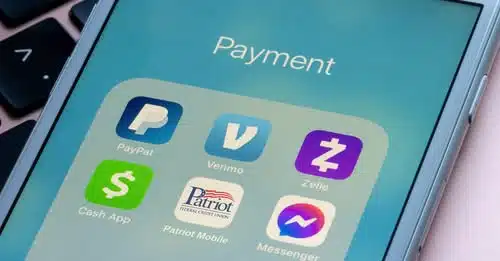
If “Zelle app discontinued” has you thinking about other options — you’re not alone. There are several strong peer-to-peer payment alternatives worth considering.
Let’s break them down so you can choose what fits your style.
Venmo — The Social Payment App
Best for: Splitting bills, paying friends, memorable payments
Why people like it:
- Payments are fast and easy.
- You can add notes, emojis, or fun messages.
- Good for casual, everyday transfers.
Good to know:
- Owned by a trusted company.
- Has a social feed (optional).
- Can transfer to bank accounts or store money in-app.
When it’s a top choice:
If you’re splitting rent with roommates or paying friends back for dinner, Venmo is often the simplest and most social choice.
Cash App — Simple and Versatile
Best for: Quick transfers and optional extras
Why people like it:
- Fast transfers to friends or contacts.
- Optional debit card linked to your balance.
- Extra features like investing small amounts.
Good to know:
- You can get a prepaid card tied to Cash App.
- Some features may have fees (e.g., instant transfer fees).
When it’s a top choice:
If you want a payment app with a bit more flexibility — like a card or investing options — Cash App is worth exploring.
PayPal — Trusted and Global
Best for: International payments or business purchases
Why people like it:
- Works in many countries.
- Trusted by millions of users.
- Offers payment protection on purchases.
Good to know:
- May include fees for certain transfers.
- Can link bank accounts, credit cards, or debit cards.
When it’s a top choice:
If you need to send money overseas or want stronger purchase protections, PayPal is a solid alternative.
Google Pay — Integrated & Simple
Best for: Android users and digital wallets
Why people like it:
- Integrates with Android devices and Google services.
- Easy dash from contacts to payments.
- No need to share bank account details.
Good to know:
- Works with phone numbers or email addresses.
- Has features for in-store payments too.
When it’s a top choice:
If you live in the Google ecosystem and want a clean, integrated payment experience.
Apple Pay / Apple Cash — Great for iPhone Users
Best for: Apple ecosystem users
Why people like it:
- Built into iPhone and Apple Wallet.
- Secure with Face ID, Touch ID, and device protections.
- Quick peer-to-peer transfers via Messages.
Good to know:
- Works seamlessly with other Apple devices.
- Transfers to bank accounts can take time.
When it’s a top choice:
If you use Apple devices daily and want an integrated, secure payment system.
Choosing the Right Payment Tool for You
It helps to match the tool to your habits. Here’s a quick comparison to guide you:
| Feature / App | Fast Transfers | Low Fees | Social Fun | Works Internationally |
|---|---|---|---|---|
| Zelle | Yes | Free | No | Limited |
| Venmo | Yes | Fees on some | Yes | Limited |
| Cash App | Yes | Fees on some | Light | Limited |
| PayPal | Good | Fees apply | Light | Yes |
| Google Pay | Yes | Free | Light | Limited |
| Apple Pay / Apple Cash | Yes | Fees on some | Light | Limited |
Quick tip: If your priority is free and fast — Zelle or Google Pay (or Apple Cash on iPhone) are strong. For international reach — PayPal stands out.
FAQs
1. Is Zelle completely discontinued?
No — the standalone Zelle app was discontinued, but the Zelle payment service still works inside many bank and credit union apps.
2. Why did Zelle discontinue its standalone app?
Because very few users were using it, and the majority preferred accessing Zelle inside their bank’s app — where stronger security and integration already exist.
3. Can I still send money with Zelle after the app shutdown?
Yes — as long as your bank or credit union supports Zelle, you can send money through their app or online banking.
4. What if my bank doesn’t support Zelle?
You can either:
✔ Open an account with a bank that supports Zelle
✔ Use a peer-to-peer payment alternative like Venmo, PayPal, Cash App, or Google Pay
5. Are transfers with Zelle free?
Yes — when you use Zelle through a participating bank or credit union, standard person-to-person transfers are typically free.
6. Are there limits on how much I can send?
Yes — individual banks set transfer limits for Zelle. Check your bank’s terms for specific details.
7. What about Zelle for business use?
Some banks offer business use of Zelle, but features vary. Contact your bank to see if Zelle business payments are supported.
Conclusion: What “Zelle App Discontinued” Really Means
The Zelle app discontinued its standalone mobile application in 2025, but the core payment service didn’t disappear. Instead, Zelle now operates exclusively through the apps and online banking platforms of participating banks and credit unions. For most users, this means little change — you can still send money quickly and securely through your bank’s app. If your bank doesn’t support Zelle, or you prefer other features, there are plenty of alternatives like Venmo, Cash App, PayPal, Google Pay, and Apple Cash to keep your peer-to-peer payments fast and hassle-free. Ultimately, the transition brings stronger security and simplifies how the service is used — with modern payment tools ready to fill any gaps.


